Display Settings
Customize the screen properties to suit your needs
You can select one of ten screen backlight brightness levels (0 to 9). The default setting is 5. Lower levels use up battery power more slowly. The screen backlight will turn off automatically after a period of time when no buttons are pressed. You can select a shutdown delay of 5, 10, 15, 30 seconds and 2, 5 minutes. The screen backlight can be disabled completely, allowed to be unconditionally turned on by pressing the buttons or by pressing the button in case of insufficient light level.
By default the device is set in the mode of automatic screen rotation when working with it with right or left hand. You can disable the automatic screen rotation option and select its orientation in the right or left
position.
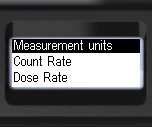
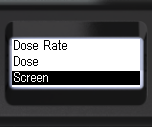
- Briefly press the up/down rocker buttons to move the focus to Screen;
- Short press the round button to move to Screen.
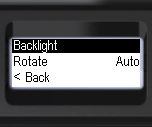
- Short press the round button to move to Backlight;
- Briefly press the up/down swing buttons to move the focus to Turning on;
- Short presses on the round button to select the backlight on mode: Auto, Never, or By Button.
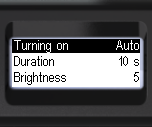
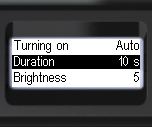
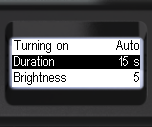
- Briefly press the up/down swing buttons to move the focus to Duration;
- Short press the round button to select the delay until the screen backlight turns off automatically: 5, 10, 15, 30 sec. and 2, 5 min.
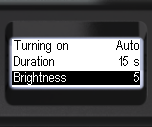
- Short press the up/down swing buttons to move the focus to Brightness;
- Short press the round button to select the backlight brightness level from 0 to 9.
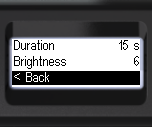
- To return to the previous level, briefly press the up/down swing buttons to move the focus to < Back;
- Briefly press the round button to confirm your selection.
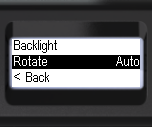
- Briefly press the up/down swing buttons to move the focus to Rotate;
- Short press the round button to select the screen orientation: Auto, Right or Left.
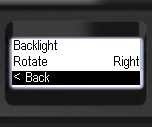
- To return to the previous level, briefly press the up/down swing buttons to move the focus to < Back;
- Briefly press the round button to confirm your selection.
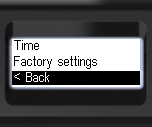
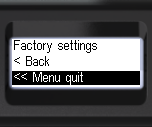
- To return to the previous level or exit the menu, briefly press the up/down swing buttons to move the focus to < Back or << Menu quit;
- Briefly press the round button to confirm your selection.
Please note that the higher the brightness is, the faster you deplete the device battery.
Updated: Dec 12, 2025