Settings
Signals
Sound, vibration, light
Your Radiacode device features an integrated interface for user interaction:
- display;
- buttons;
- sound emitter;
- LEDs;
- vibration signaling device.
Sound, light, and vibration enhance the information shown on the display and provide feedback when the buttons are pressed.
| Event / State | Display | Sound | Vibration | LED / Backlight |
|---|---|---|---|---|
Turning on | - | + | + | - |
Turning off | - | + | - | - |
Establishing a connection |
| + | - | - |
Connection lost | - | + | - | - |
Low battery level |
| + | + | - |
Battery charging process |
| - | - | blue, continuous |
Device search | - | + | + | - |
Press the button | - | + | + | - |
Quantum registration | - | + | - | flashes of green and red |
Alarm 1 |
| + | + | screen backlight |
Alarm 2 |
| + | + | screen backlight |
Out of scale |
| + | + | screen backlight |


In the menu, you can select the operation mode for sound, light, and vibration alarms. Separate permissions are available for playing alarm sounds, button presses, and clicks.
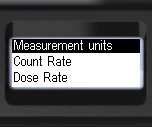
- Briefly press the up/down rocker buttons to shift the focus to Signals.
- Briefly press the round button to shift the focus to Signals.
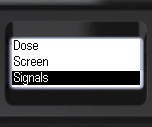
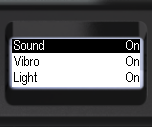
- Briefly press the up/down swing buttons to shift the focus to the item Sound.
- Briefly press the round button to select the sound signaling mode:
On - all sounds are enabled;
Off - only the sounds for instrument search and exceeding the measurement scale remain, if permitted by the settings.
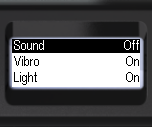
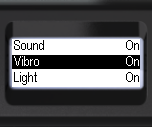
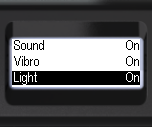
- Vibration and light modes can be configured in the same manner:
- Move the focus to Vibro or Light by briefly pressing the up/down swing buttons;
- Press the round button briefly to select either the On or Off mode.
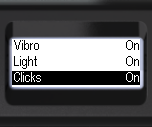
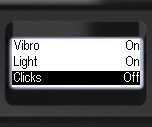
- The detection of gamma and X-ray photon registration clicks can be managed independently;
- With short presses on the up/down swing buttons, move the focus to the item Clicks.
- Briefly press the round button to select either the On or Off mode.
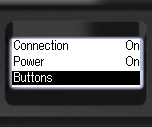
- Briefly press the up/down swing buttons to shift the focus to the Buttons.
- Briefly press the up/down swing buttons to shift the focus to Buttons or Vibro;
- Briefly press the round button to select the desired response type.
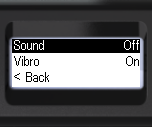
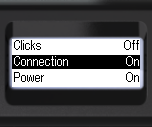
- You can independently monitor the device's connection and disconnection signals;
- Briefly press the up/down swing buttons to shift the focus to Connection.
- Briefly press the round button to select On or Off.
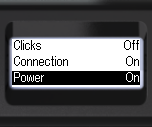
- The presence of the on/off signal can be controlled independently.
- Briefly press the up/down swing buttons to shift the focus to Power;
- Short press the round button to select On or Off.
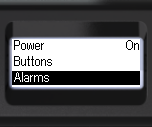
- To set the alarms, focus on Alarms.
- Briefly press the round button to confirm your selection.
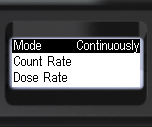
- Short presses on the round button to select the alarm indication mode One-shot or Continuous.
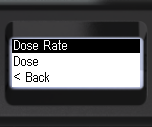
- To select an alarm channel, focus on the desired item, e.g., Dose rate;
- Briefly press the round button to confirm your selection.
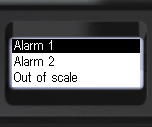
- Briefly press the up/down swing buttons to shift the focus to the desired alarm level: Alarm 1 or Alarm 2.
- Briefly press the round button to confirm your selection.
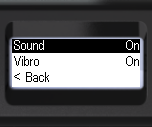
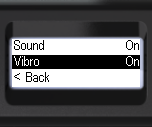
- Briefly press the up/down swing buttons to shift the focus to Sound or Vibration.
- Briefly press the round button to select On or Off.
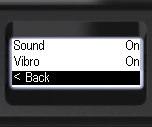
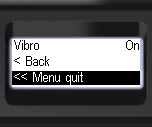
- To go back to the previous level or exit the menu, briefly press the up/down swing buttons to move the focus to < Back, or << Menu quit.
- Press the round button briefly to confirm your selection.
Updated: Jan 9, 2026