Using the Device
Turning ON and OFF
Quick steps to start up and shut down your device
If your device does not show any readings, it means that it is currently turned off. To turn on the Radiacode device, click the round button and hold it down for three seconds.
Turning ON
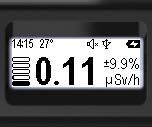
To turn on the device, press and hold the round button for at least 3 seconds until it powers on.
- When the device is powered on, it will enter Monitor mode.
- With the correct settings, the power-on sound will play at this moment.
- With the appropriate settings, the vibration indication will be activated at this moment.
- With the appropriate settings, the display backlight will turn on at this moment.
Turning Off
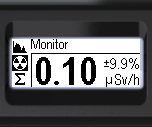
To power off, quickly press the round button on the instrument until the menu icons appear.
- The icon display
 indicates that the swing buttons are locked.
 - To unlock, press and hold the round button for at least 3 seconds.
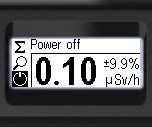
Briefly pressing the up or down swing buttons moves the cursor to the shutdown icon  .
.
A quick press of the round button will switch off the device.
- With the correct settings, a shutdown sound will play at this point.
- The device screen will turn off.
Updated: Jan 9, 2026