Devices
You can select a device through the navigation menu (icon in the upper left corner of the screen).
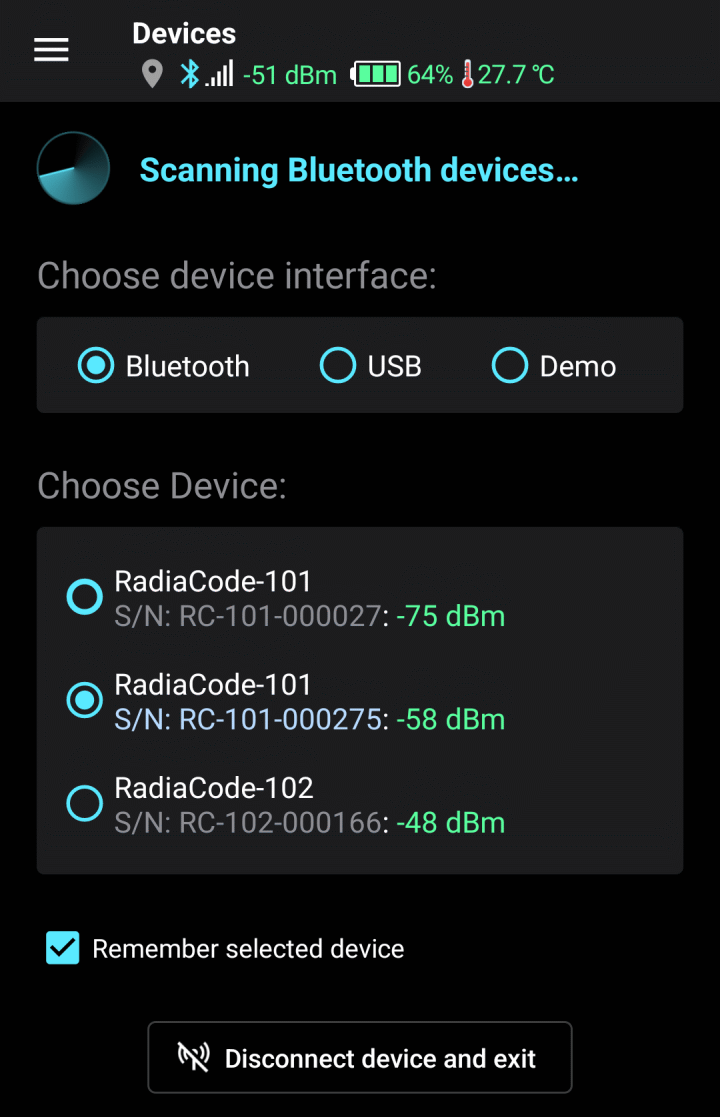
Device selection page
It supports the operation of devices connected to a mobile device via Bluetooth and USB. By selecting “Demo,” you can familiarize yourself with the application's operation in demo mode—no device is needed for this. In demo mode, the application functions with a virtual device.
When you select an interface, the application scans the environment to detect devices available for connection. The “Choose Device” field displays a list of detected devices. In “Demo” mode, the virtual device is always available.
If the application does not find the device via the Bluetooth interface for an extended period, try following these recommendations.
The option "Remember selected device" tells the program not to display the device selection page before starting work if the selected device is turned on and the program can detect it.
After connecting the device via Bluetooth, the application takes some time to establish a connection with the device and initialize it.
Updated: Jan 9, 2026