Activity
Measurement of Sample
Measurement Procedure
IMPORTANT: To determine the activity of loose and liquid materials, they must be given a standard shape by placing them in a special container (containers are not included with the device and must be purchased separately). Currently, the program calculates activity when using multiple containers:
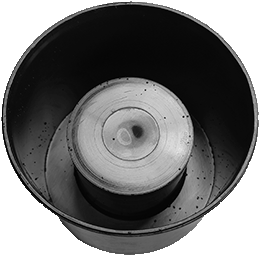
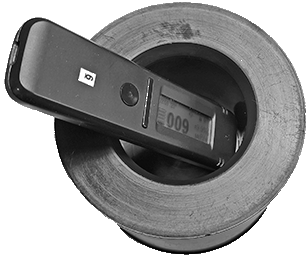
Marinelli 0.5 l (Standard)
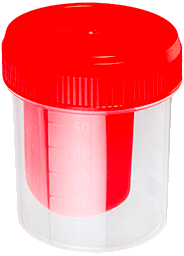
60 ml Container
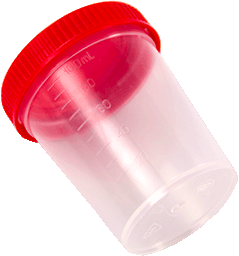
100 ml Container
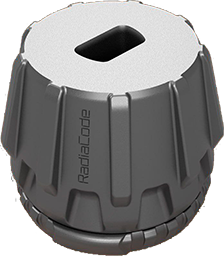
Marinelli 3D printed 0.5 L
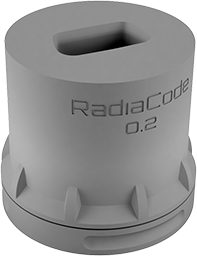
Marinelli 3D printed 0.2 L
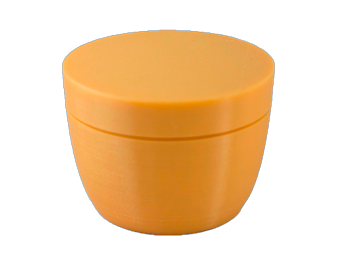
Marinelli 3D-printed 0.1 l
You can download the files for 3D printing of the author's containers here.
A balance with an accuracy of at least 1 g will be required to measure the mass of the container and sample.
- Charge the device to at least 50% capacity and, using the “Spectrum mode”, generate a background spectrum set. When obtaining the spectrum, the device should always be in the same location where the activity measurement will be conducted. To improve measurement accuracy, it is recommended to obtain spectra for at least 8 hours, and if possible, a day or more. Save the acquired spectrum to the spectra library with the name “Background Date/Location” or something similar.
- Open the “Activity” tab in the application, and from the dropdown list in the “Geometry” line, select the container used.
- In the dropdown list of the “Product” line, select the product type.
- In the “Weight” line, enter the net weight of the sample. To do this:
- weigh the empty container with its lid;
- Fill the container to capacity with the sample, ensuring it has been previously crushed, dried, or pressed;
- Close the lid and measure the mass of the container with the sample.
- Calculate the mass of the sample by finding the difference between the obtained values, and enter the result on the “Weight:” line (the program allows entry with an accuracy of 0.1 g).
- In the “Background” line, select the previously obtained background spectrum.
- Place the powered-on device on the sample.
- If using a 60 ml container, place it on a horizontal surface with the lid facing up. Position the device on the container so that the “+” sign on the back cover of the dosimeter is directly above the center of the container lid. In this setup, the other side of the device should rest on an object of the same height as the container (for example, a second container of the same size).
- If a Marinelli container is used, place the device in the open cavity of the container with the USB connector facing outward and the “+” sign facing inward.
- At the bottom of the “Activity” tab, in the spectrum histogram display area, click the button with the triangle icon to begin the measurement.
- Continue taking measurements until the minimum detectable activity (MDA) values and the measurement error reach acceptable levels for you.
Updated: Jan 9, 2026