App Widgets
If you're unsure what a widget is or how to place it on your smartphone's desktop, search the Internet for assistance.
The Radiacode application offers several widgets:
Indicators Widget
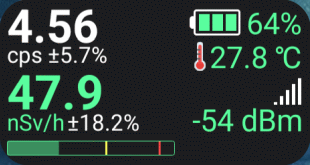
This widget can only be resized horizontally. The right side, which includes the battery, temperature, and Bluetooth signal strength, is displayed only if there is enough space. The red square in the lower left corner indicates that the track is being recorded.
The indicator widget is updated approximately every two seconds.
Device Screen Widget
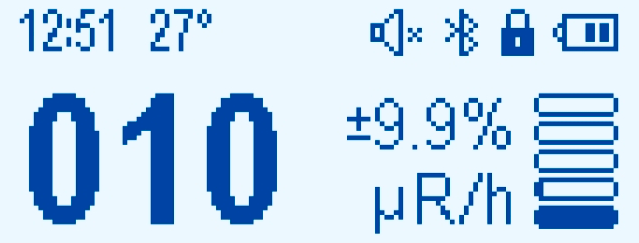
This is a screenshot of the device screen, updated every two seconds. When an alarm occurs, the widget can be updated more frequently. You cannot change the size of the device screen widget.
Spectrum Widget
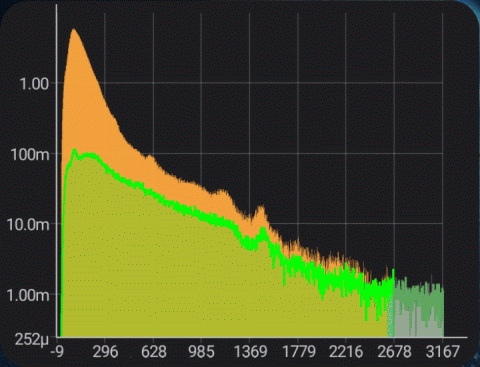
This widget displays the spectrum graph in a format that matches the settings of the Spectrum Tab in the app itself. The spectrum widget updates at the interval specified for automatic spectrum updates in the application. However, unlike the application, the spectrum widget always updates automatically. The size of the spectrum widget can be adjusted without restriction.
Tapping the widget opens the Radiacode app.
When you exit the Radiacode app normally, it notifies the open widgets that the device has disconnected from the smartphone, and the widgets display a corresponding message. If you exit abnormally, for example, by "swiping" the application away on the smartphone's running applications screen, the RadiaCode app may not receive any notifications from the system. In this case, the widgets will display the last information received from the application, even though the application is no longer in the smartphone's memory.
The Radiacode widgets are updated frequently, which is not typically supported by the system by default. So far, no negative effects from frequent widget updates have been observed.
Updated: Jan 8, 2026