Overview
Graphical Interface
This section provides a description of the windows, menus, and dialogs of the Radiacode program.
Device status indicator
On the left side of the control bar in the RadiaCode home window, there is a device status indicator that graphically displays its current state.
RadiaCode Windows
In the main RadiaCode program window, you can open windows through the 'View' menu item in the home window or by using the buttons on the control bar.
On the left side of the control bar, there is a drop-down list:
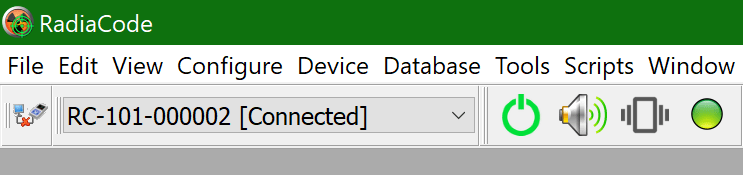
This drop-down list displays the serial numbers of the devices whose data is in the database. If more than one RadiaCode-10X device is connected, you can select which device to work with here.
Only the records of the device selected from this list are displayed in the log window.
Beside the serial number field, there are buttons that control the device's power on/off, sounds, vibration, and LEDs on the device body.
Main menu of RadiaCode
To open a menu, use the mouse or an “Alt+letter” keyboard shortcut, where “letter” is the underlined letter in the name of a menu item or command.
Updated: Jan 8, 2026