Settings
Settings Menu
Explore the available settings options to configure your device
You can access the device settings from the corresponding instrument submenu –  Settings.
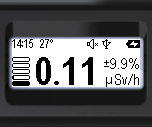
- Press and hold the round button until you access the menu.
- The name of the current menu item will appear at the top. (In this case, it is "Monitor");
- The icons for the main menu items will be arranged vertically.
- The active item will be highlighted with an inverted icon.
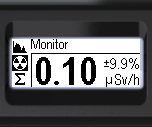
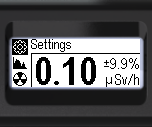
- Brief presses on the upper swing button (or the lower one, as the menu is circular) highlight the item Settings.
- Briefly press the round button to confirm access to the "Settings" submenu.
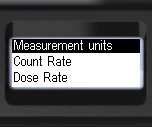
The settings menu allows you to configure these options:
- Measurement units
- Count Rate - Alarm Levels
- Dose Rate - Alarm Levels
- Dose - Alarm Levels
- Screen settings
- Signal settings
- Bluetooth settings
- Language settings
- Time settings
- Factory settings
Updated: Jan 9, 2026