Quick Start
Get started with Radiacode Zero in 5 minutes
Radiacode Zero is a portable wide-range radiation detector and dosimeter for real-time radiation assessment. The device measures gamma and X-ray dose rate, accumulates dose, automatically logs measurements, and warns of radiation hazards.
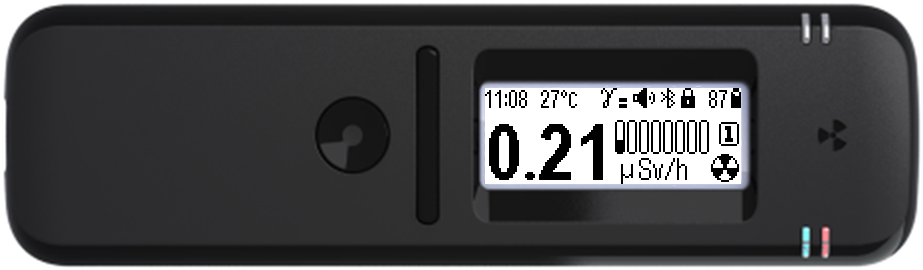
Step 1: Unpacking and charging
Unpack the device, check that it is intact and complete. Connect the USB Type-C cable to a charger (5 V, 0.5 A or more) or a computer USB port. Wait for a full charge — the blue indicator goes out.
If the device has been brought in from the cold, leave it in its packaging at room temperature for two hours before opening. Otherwise, moisture condensation may cause a malfunction.
Step 2: Turning on
Press and hold the round button (at least 3 seconds). The device starts in Monitor mode and begins estimating the dose rate.
- Press and hold the round button until the device turns on (at least 3 seconds).
- When turned on, the device is in Monitor mode.
- If enabled, the “turning on” sound plays, the device vibrates and the display backlight turns on.
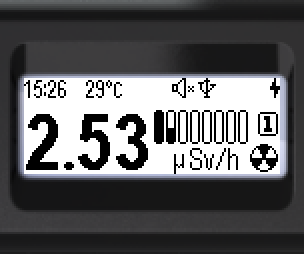
Step 3: Reading the values
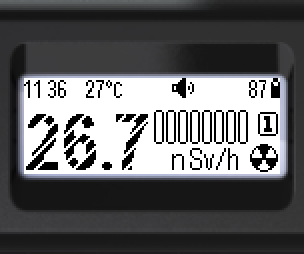
The screen shows the current dose rate estimate. While not enough data has been accumulated, the result is low-confidence and is shown with hatched digits.
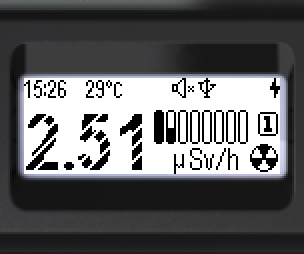
- Low-confidence values are shown with digits hatched with light diagonal stripes.
- When the value is valid, the digits are fully filled in.
Step 4: Connecting to a smartphone
Install the RadiaCode app from Google Play, the App Store or the RadiaCode website: www.radiacode.com/downloads. Connect the device via Bluetooth for extended features: Google and OSM maps with GPS coordinates, charts, history, and external database storage.
Pairing is done from the app: turn on Bluetooth on the device and select it in the list of devices. No codes are required.
Additionally recommended:
- Set the current time (Settings → Time)
- Select the menu language (Settings → Language)
- Set up the screen: backlight and orientation
- Set up the signals: sound, vibration, light
- Update the device firmware