Quick Start
Get started with Radiacode 100 Series in 5 minutes
Radiacode-10X / Radiacode-1XX series is a portable dosimeter and spectrometer for real-time assessment of the radiation environment. The device is highly sensitive to gamma and X-ray radiation: it estimates the dose rate, the accumulated dose and the energy spectrum of the absorbed radiation, automatically logs measurements and events, and warns of radiation hazards.
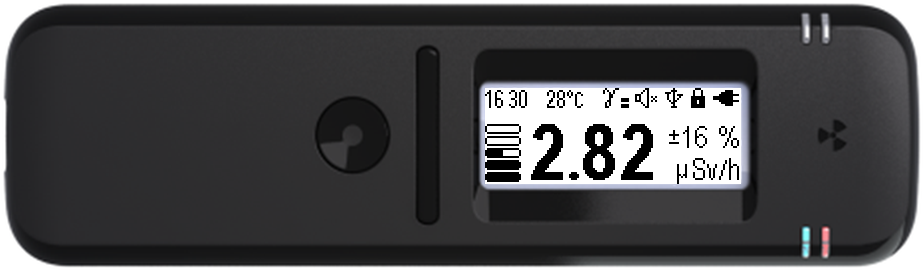
Applies to devices with firmware 4.15 and later. The manufacturer is constantly improving the firmware — use the latest version of the manual.
Step 1: Unpacking and charging
Unpack the device, check it is intact and complete against the product data sheet, and check that the data sheet/warranty card is filled in. Connect the USB Type-C cable to a charger (5 V, 0.5 A or more) or a computer USB port and fully charge the battery — the blue indicator goes out when charging is complete.
If you brought the package with the device from the cold into a warm room, leave it to warm up for two hours without opening it. Otherwise, moisture may condense inside the device and cause a malfunction.
Step 2: Turning on
Press the round button and hold it for at least 3 seconds. The device turns on in Monitor mode and starts estimating the dose rate.
- Press and hold the round button until the device turns on (at least 3 seconds).
- When turned on, the device is in Monitor mode.
- If enabled, the “turning on” sound plays, the device vibrates and the display backlight turns on.
Step 3: Reading the values
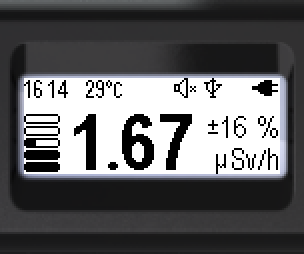
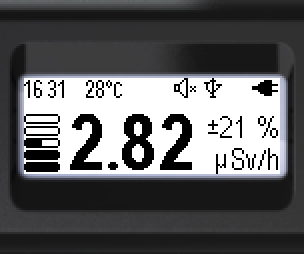
The screen shows the current dose rate estimate and, next to it, the random error of this estimate in percent. At sufficient radiation intensity, the random error in Monitor mode is kept at about 15% for the 2δ confidence interval. While not enough data has been accumulated, the result has low confidence and is shown with hatched digits.
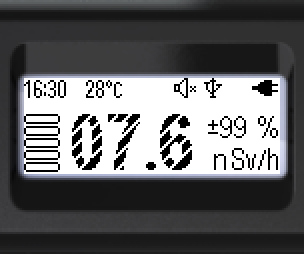
- At the top — the status bar: time, radiation sensor temperature, alarms, sound, connection, button lock, battery.
- At the bottom of the screen: the graphical indicator, the dose rate estimate, the random error in % and the units.
- Low-confidence values are shown with digits hatched with light diagonal stripes.
- When the value is valid, the digits are fully filled in.
Step 4: Connecting to a smartphone
Install the RadiaCode app from Google Play, the App Store or the RadiaCode website: www.radiacode.com/downloads. Connect the device via Bluetooth for extended features: Google and OSM maps with GPS coordinates, data processing, an external database.
Pairing is done from the app: turn on Bluetooth on the device and select it in the list of devices. No codes are required.
We also recommend that you:
- Set the current time (Settings → Time)
- Select the menu language (Settings → Language)
- Set up the screen: backlight and orientation
- Set up the signals: sound, vibration, light
- Update the device firmware
Updated: Oct 26, 2026