Tasten
Das Gerät hat ein intuitives Menüsystem und wird mit drei Tasten bedient. Ton- und Vibrationssignale erleichtern die Bedienung. Welche Wipptaste „oben“ und welche „unten“ ist, hängt von der Bildschirmausrichtung ab.
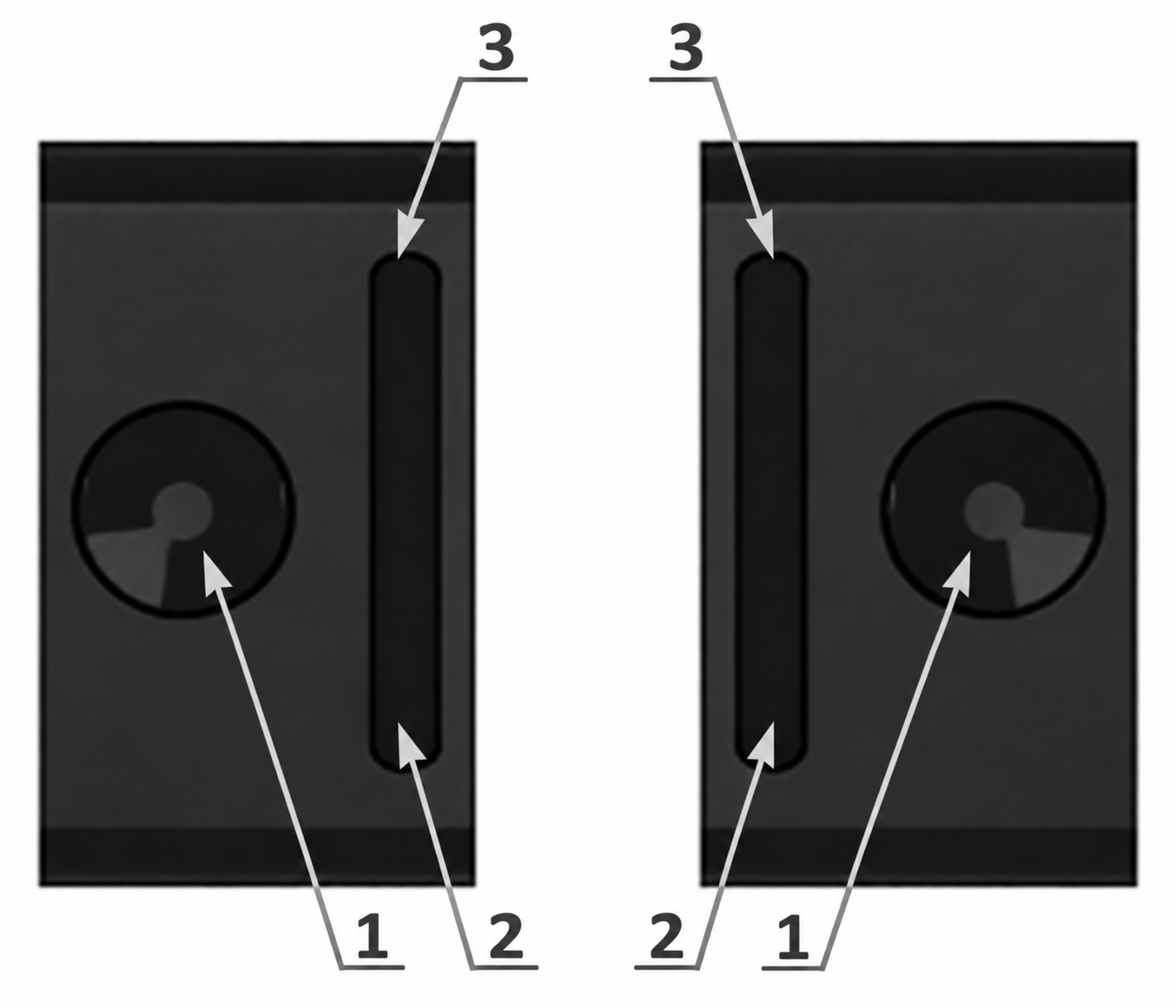
Das Gerät in der linken und rechten Hand:
- Ein/Aus- und Bestätigungstaste, rund.
- Wipptaste „unten“.
- Wipptaste „oben“.
Zwei Arten des Tastendrucks: kurz und lang (mindestens 3 Sekunden).
Langer Druck auf die runde Taste [1]: Einschalten, Wipptasten entsperren/sperren, Alarmliste quittieren, Bestätigung in einigen Einstellungsbildschirmen.
Kurzer Druck auf die runde Taste: Menü aufrufen, Menü verlassen, Auswahl bestätigen, Werte durchschalten, Alarmsignale abschalten.
Die Wipptasten werden nach 5, 10, 15, 30 s, 2 oder 5 min ohne Bedienung automatisch gesperrt – gleichzeitig mit dem Abschalten der Hintergrundbeleuchtung. Die Statusleiste zeigt dann das Symbol  . Diese Zeit wird in den Einstellungen der Hintergrundbeleuchtung mit [Duration] festgelegt. Entsperren – runde Taste lang drücken; die Hintergrundbeleuchtung schaltet sich wieder ein. Ausnahme – Modus [Auto]: Bei hellem Licht bleibt die Hintergrundbeleuchtung aus, die Wipptasten sind trotzdem entsperrt. Wieder sperren – runde Taste lang drücken.
Kurzer Druck auf die Wipptasten [2, 3]: durch das Menü navigieren, Werte eingeben, zusätzliche Funktionen in den Modi.
Langer Druck auf die Wipptasten [2, 3] hat je nach Situation eine andere Funktion. Im Menü – schnelles Blättern. In den Anzeigemodi schaltet ein langer Druck auf „oben“ die Tonsignale ein/aus.
Der gewählte Menüpunkt wird auf jeder Ebene invers dargestellt – hell auf dunkel.
Jeder Tastendruck wird von einem kurzen Ton und einer Vibration begleitet (falls aktiviert). Ton und Vibration bei Tastendruck lassen sich ausschalten.
Aktualisiert: 21. Okt. 2026